For real games. Across the board.
Chess Clock for
Blitz, Rapid
& OTB games.
Turn your iPhone or iPad into a two-player chess clock. Fischer increment, Bronstein delay and US Delay—ready when you are.

Free to start · No ads · No subscription
Pick a time control and play ↓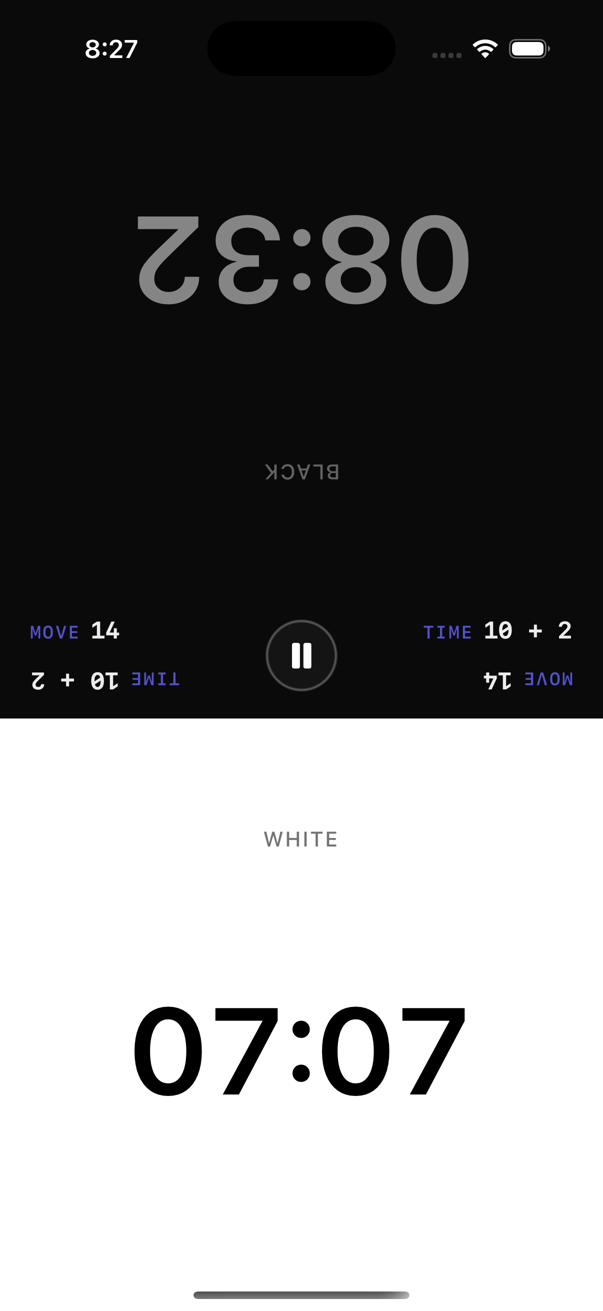
Three timing modesFischer · Bronstein · US Delay
Ready-to-play presets1, 3, 5 & 10 minutes
iPhone & iPadiOS / iPadOS 17 or later
Less setup. More chess.
Pick a time control.
Start playing.
A quick game or a longer session. Choose your time, choose your mode, then bring the clock to your board.
- Choose a preset. Free 1, 3, 5 and 10 minute controls, plus quick tournament presets.
- Set your timing mode. Fischer, Bronstein and US Delay include common values for free.
- Start, move, tap. Tap your active side after each move. Pause and resume when needed.
No account required, according to the app’s privacy policy.
See the iPhone clock walkthrough →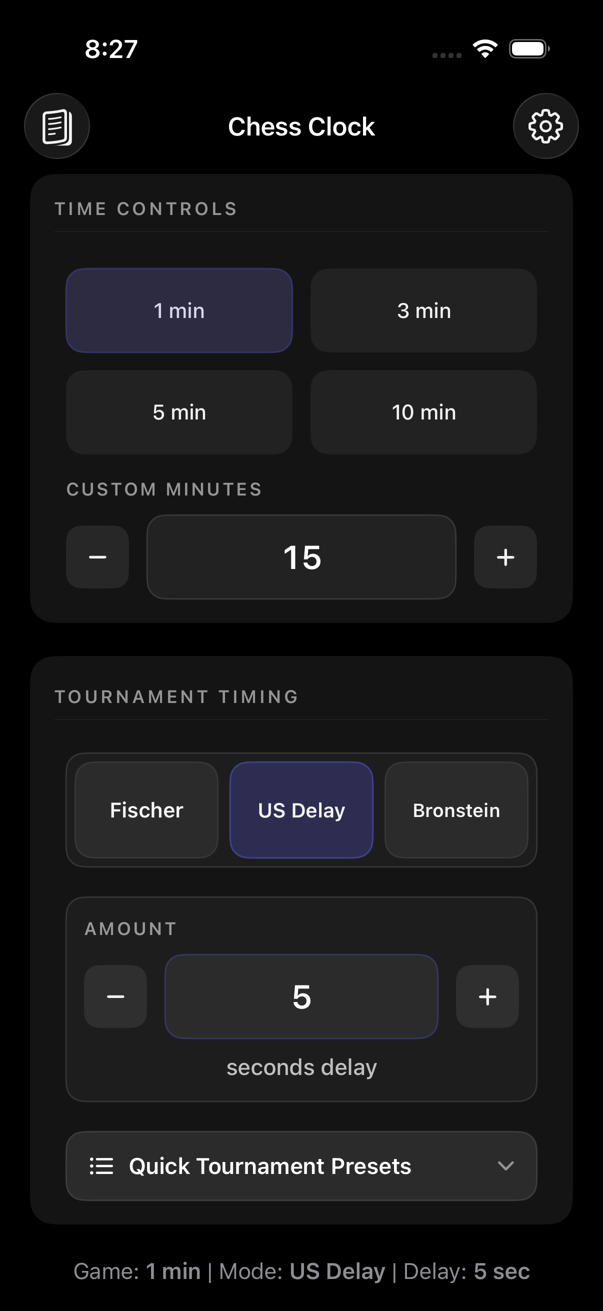
The seconds make a difference.
Three ways to manage time.
All three modes are included for free. Choose how extra seconds should work before the first move.
Fischer increment
The full increment is added after a completed move. Move quickly and your remaining time can grow.
30s − 1s + 2s = 31s
How Fischer works →Bronstein delay
Returns time spent up to the delay after the player completes a turn and presses the clock. Unused delay is not banked. Press before flag fall.
60s − 3s + 3s = 60s
How Bronstein works →US Delay
The delay runs first. Only then does the main clock decrease. Unused delay does not carry over.
8s move − 5s delay = 3s used
How US Delay works →Your pace. Your board.
Blitz, Rapid & Classical.
Make it quick.
Short presets and instant turn switching for a fast over-the-board session.
Play Blitz →Take time to think.
Choose an available longer control, add increment or delay, and settle into the game.
Set up Rapid →Set your own pace.
Use Pro for custom game lengths and advanced timing values for your club or longer session.
Explore custom controls →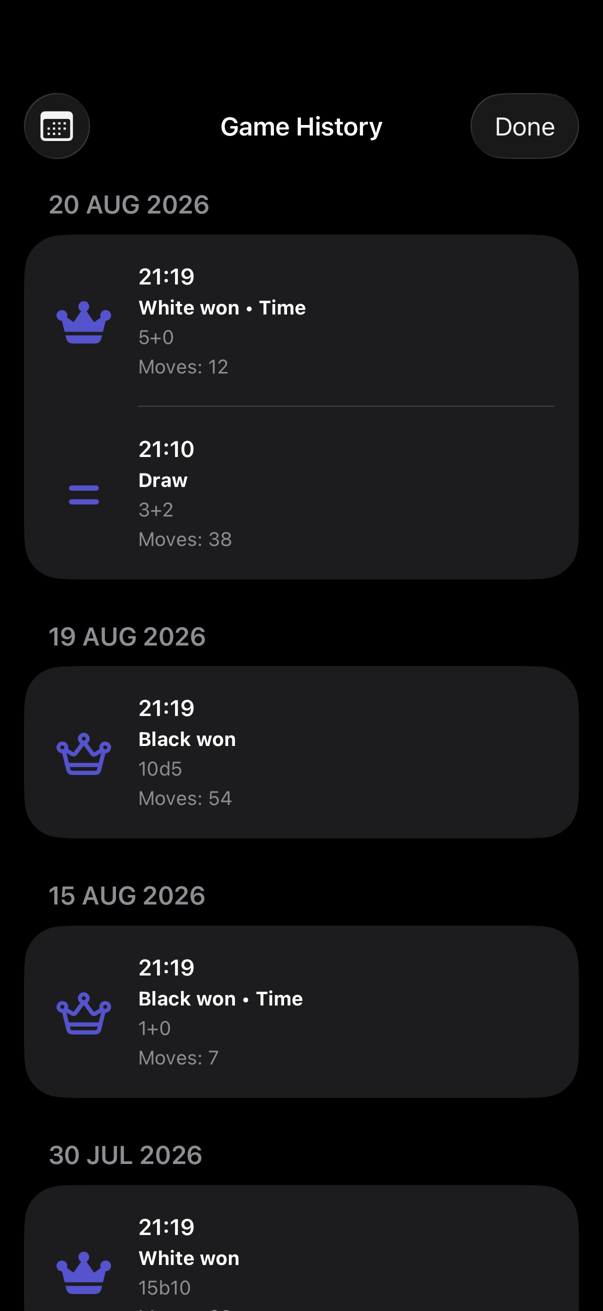
The game ends. The record stays.
Remember the result.
Record a White win, Black win or draw. See your game history with move count, time control and timestamps.
History is included for free. Keep track of the formats you played and the results of your session.
Move counts are clock records. The app is not advertised as recording move notation, board positions or PGN exports.
Free essentials. Optional customization.
No ads. No subscription.
The everyday chess-clock modes are free. Upgrade once when you want more control over your setup.
Choose a format. Just play.
- 1, 3, 5 & 10 minute controls and quick tournament presets
- Fischer, Bronstein & US Delay
- Common increment and delay values
- Pause/resume, tenths below one minute and flag-fall detection
- Results and history with move count, time control and timestamps
- Haptic feedback and end-of-game signal
Make the clock your own.
- Custom game lengths
- Custom increment and delay values
- Fine-tuning beyond standard options
- Advanced custom tournament setups
No recurring payment. Check the in-app purchase screen for the current price in your region.
What you can customize →A better understanding of the clock.
Find your next move.
Before you start.
Common questions.
Can I use my iPhone as a chess clock?
Yes. Chess Clock turns your iPhone or iPad into a two-player timer for a physical chessboard. It requires iOS or iPadOS 17 or later.
Does the app support Fischer increment?
Yes. Fischer increment and common increment values are free. The full increment is added after a completed move, so quick moves can build time.
What is the difference between Fischer and Bronstein?
Fischer adds the full increment after a completed move. Bronstein returns only the time spent, up to the delay. Bronstein does not bank unused delay, and the clock must be pressed before flag fall.
Does it support US Delay?
Yes. US Delay and common delay values are free. The delay runs at the beginning of each turn before the main time decreases.
Can I play Blitz, Rapid and Classical?
Yes. The app supports short and longer over-the-board games. Standard 1, 3, 5 and 10 minute controls and quick tournament presets are free; Pro unlocks custom game lengths.
Does Chess Clock have ads or a subscription?
No. There are no ads for anyone and no subscription. Pro is an optional one-time purchase.
Can I customize time controls?
Yes. Pro unlocks custom starting times, custom increment and delay values, and advanced timing setup. All three basic timing modes are free.
What does game history record?
The result, move count, time control and timestamps. You can record White wins, Black wins and draws. History is not a move-by-move scoresheet.
Does the app collect data?
The developer’s current App Store privacy declaration says Data Not Collected. See the privacy policy for local storage, Apple purchases and support email details.
Chess Clock: Blitz & Rapid
Your board.
Your game. Your clock.
A practical two-player clock for iPhone and iPad. No ads, no subscription, and the timing modes you need.
The developer declares Data Not Collected on the App Store.
Read the privacy policy