

⌗
Scan prices
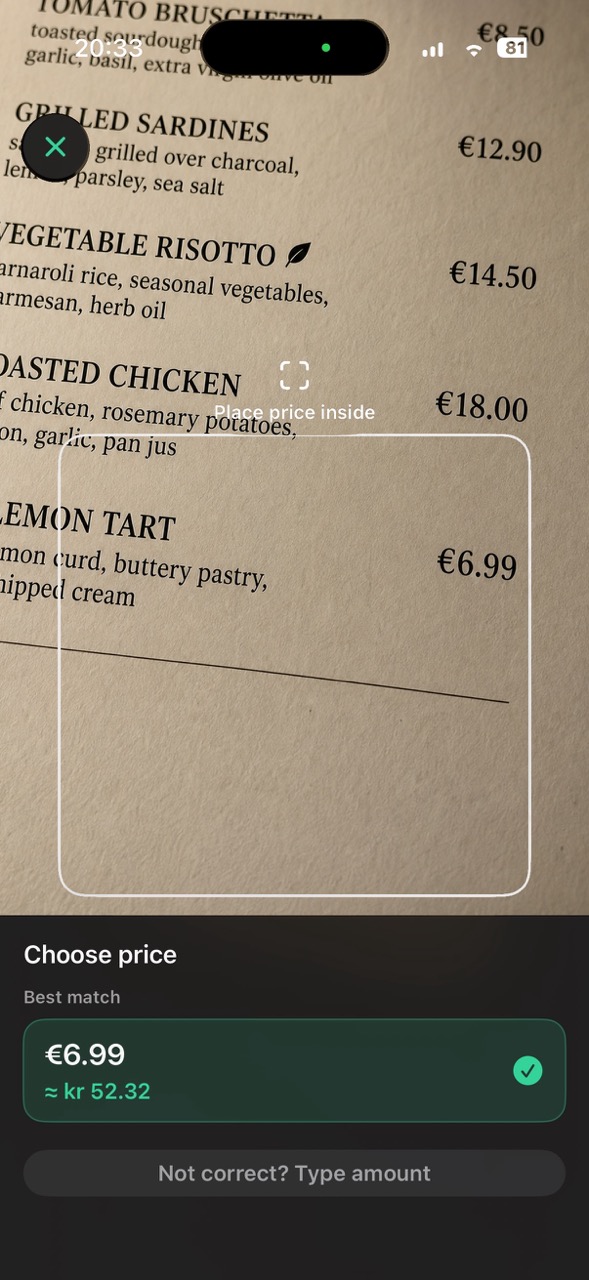
Use the camera to detect a visible amount on a menu, shelf label, price tag, or receipt. Choose and verify the price before converting it.
Point your iPhone camera at a menu, shelf label, or price tag. Currency Converter Lens detects visible amounts so you can convert a selected price into your currency without typing it manually.
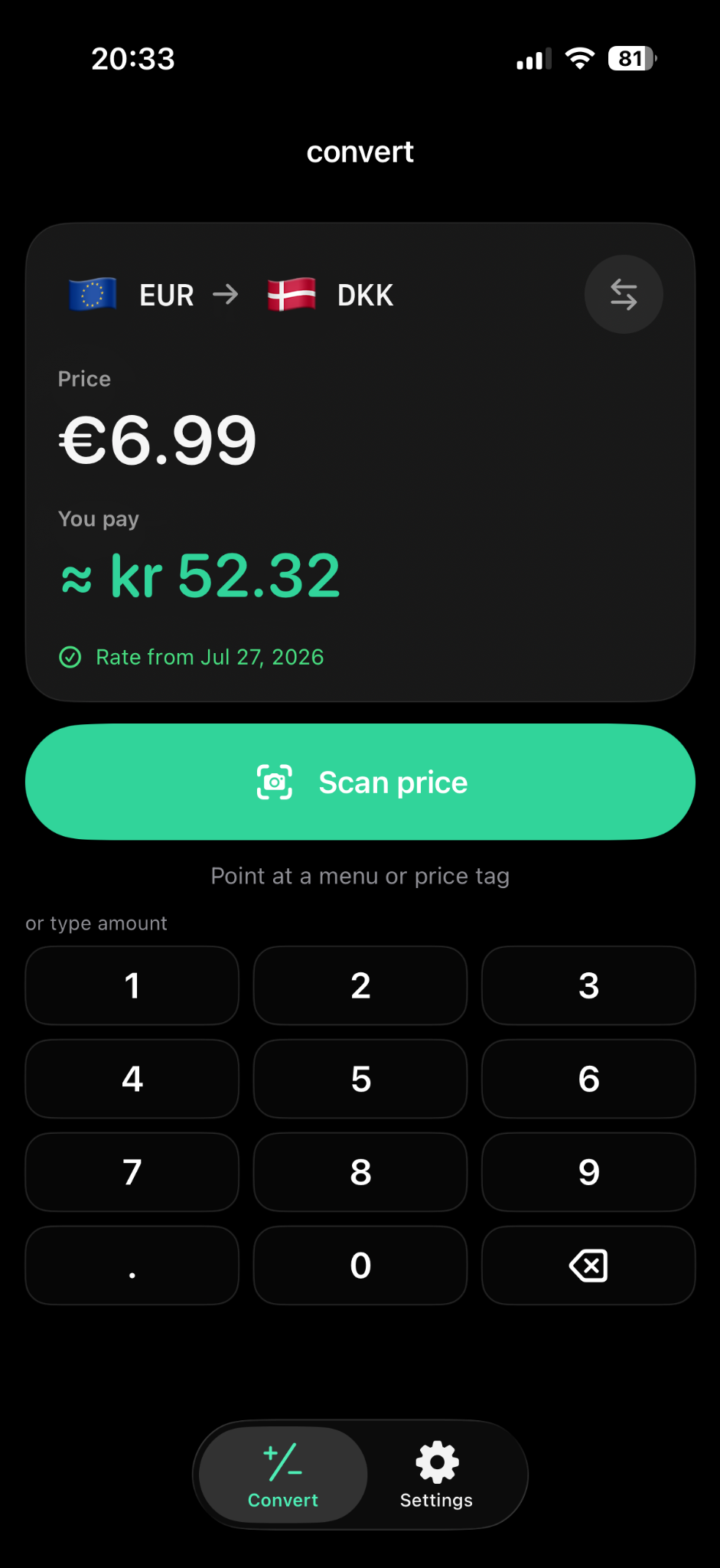
Currency Converter Lens is an iPhone currency converter that can use the camera to detect visible prices and convert them into another currency.
Use the camera to detect a visible amount on a menu, shelf label, price tag, or receipt. Choose and verify the price before converting it.
Price ranking helps distinguish amounts from product codes. Check the selected number and type it manually if detection is imperfect.
After a successful rate update, convert with the last saved rate without internet. Check the rate date; offline rates may not reflect recent market changes.
Check the prices around you, with camera scanning when the amount is readable and manual entry when it is easier.
Point your iPhone camera at a visible amount, verify it, and convert it without retyping.
Camera currency conversion →Check café, hotel, station, and shop prices in a currency you know.
Scan prices abroad →Keep converting with the last saved rate after setup when internet is unavailable.
Offline currency conversion →Convert a restaurant or café price without retyping each correctly detected amount.
Convert menu prices →Compare supermarket shelf labels and price tags in your chosen currency.
Convert price tags and shelf labels →Scan one visible receipt amount and convert that selected number.
Convert a visible receipt amount →Type an amount when the price is already known or camera scanning is inconvenient.
See manual conversion →Yes. Choose the price currency and your result currency, point your iPhone camera at the amount, then select and confirm the detected price. Scanning can reduce repeated typing while shopping or comparing menu prices.
Small print, glare, and crowded labels can affect detection. Use manual entry if the amount is wrong. Your bank or card issuer may use a different rate or apply fees.
No accounts, no clutter. Convert manually or scan the price when typing is annoying.
Type a known amount or use manual entry when a scan is difficult. The result screen shows the rate date as well as the conversion.
Choose the detected price, confirm it, and return to the converted result.
Manual conversion stays simple. Pro unlocks unlimited camera price scanning.