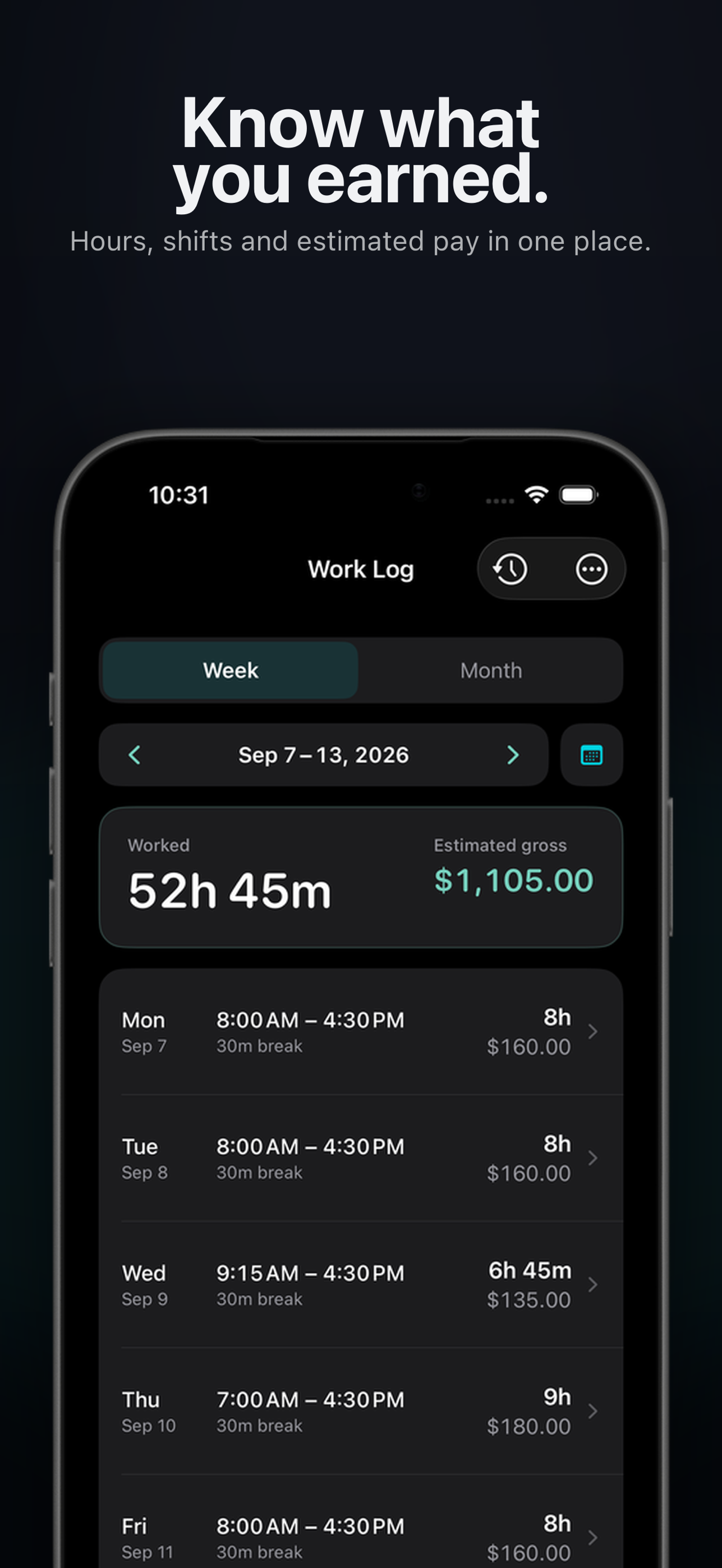
Week view
Review every shift alongside weekly worked hours and expected gross pay.

Your time. Your record.
Houro is a personal work hours tracker for iPhone and iPad, built for hourly workers who want to record shifts, calculate expected gross pay and keep their own work history.
Flexible from the first shift
Use Houro as a simple time clock app when your schedule changes, or add work manually when you already know your hours.
Keep a live work log through the day, including break time.
Add or edit start times, end times and breaks whenever you need.
Save the schedules you work often and add them again in a few taps.
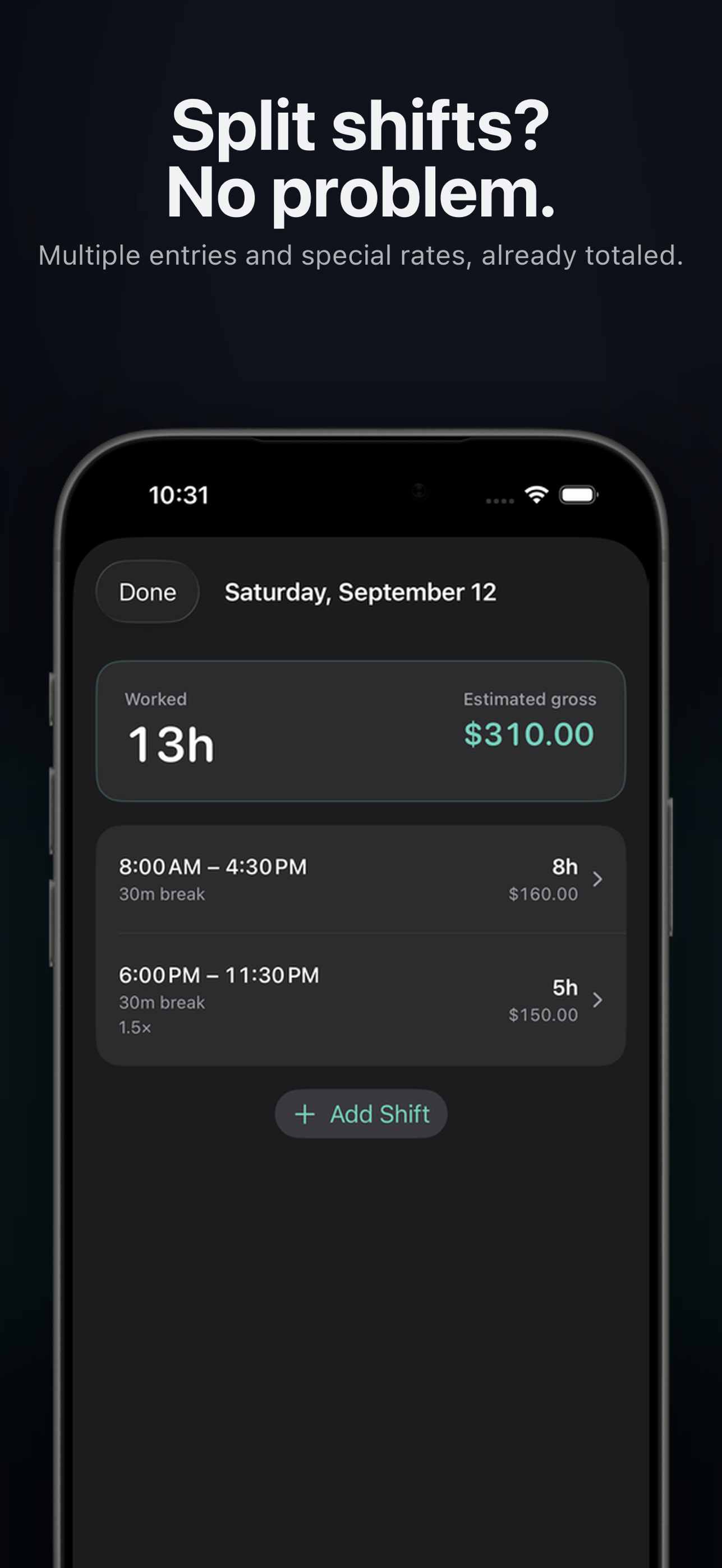
Record multiple shifts or split shifts without flattening your day into one block.
Your hours, made clear
Add your hourly rate and Houro becomes a work hours calculator, estimating gross pay as your work log grows.
Review every shift alongside weekly worked hours and expected gross pay.
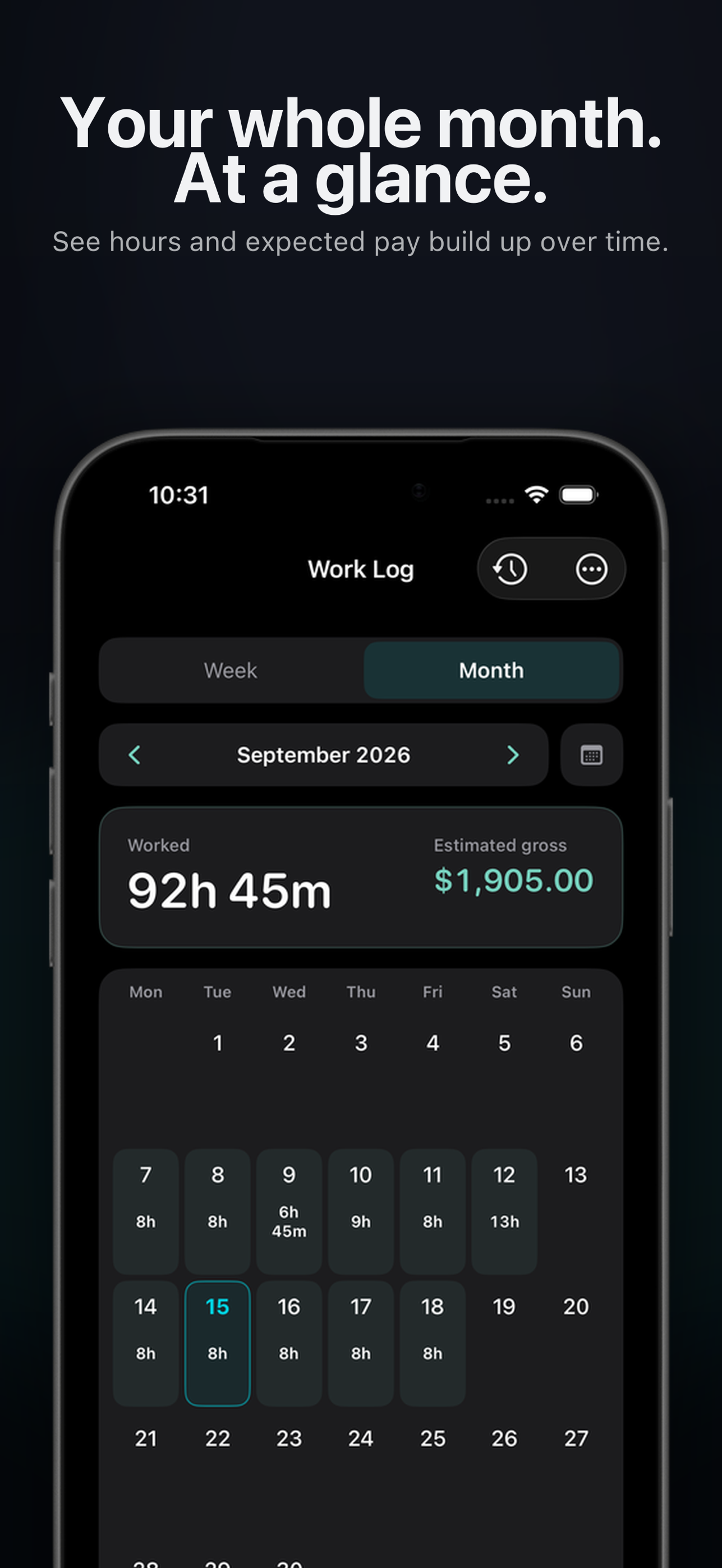
See how your work builds across the month in one clean calendar.
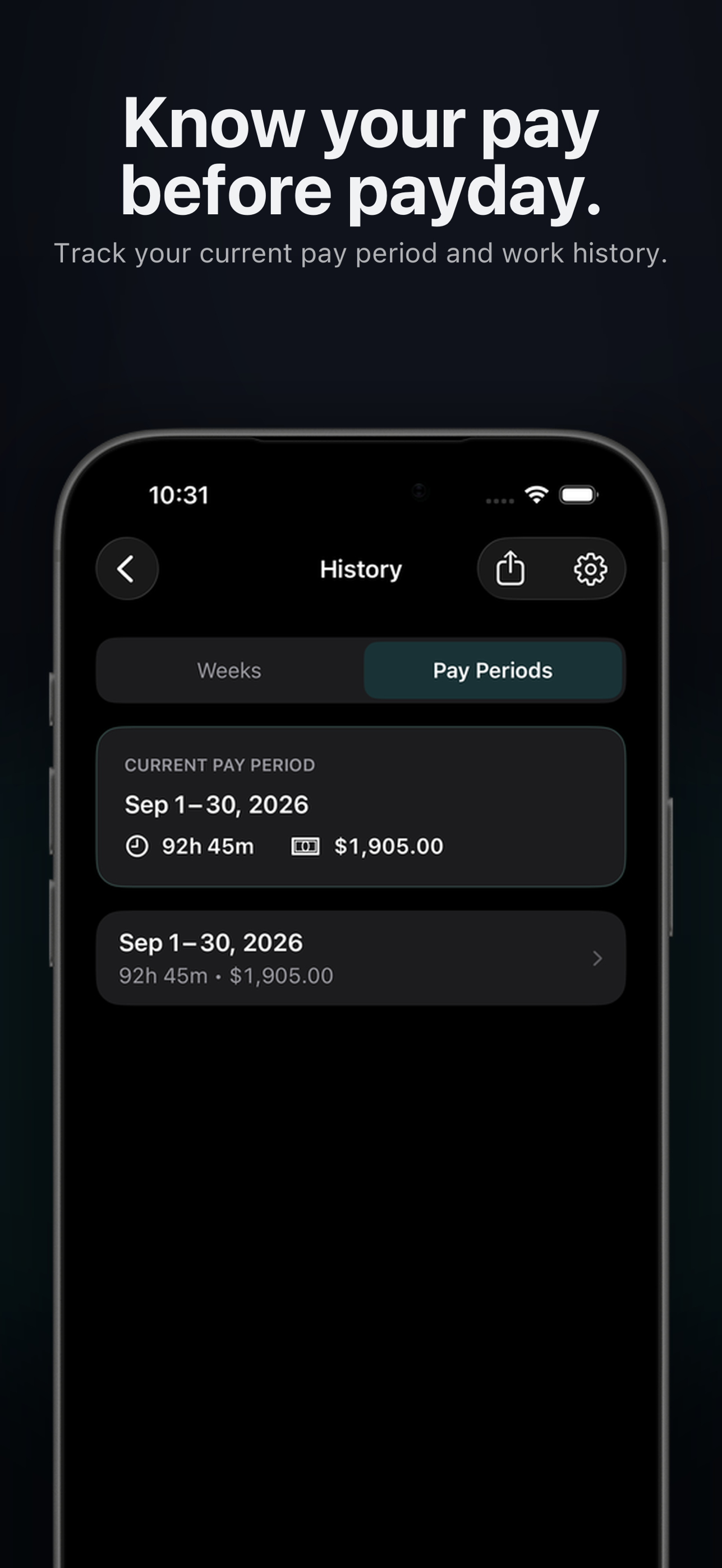
Use Houro as a pay period tracker and check your running total before payday.
Built for working days
Work does not always fit a neat nine-to-five. Houro gives you the flexibility to record what actually happened.
Keep multiple shifts on the same date, each with its own time and details.
Include break duration so worked hours reflect the time you actually worked.
Apply a special multiplier when a particular shift is paid at a different rate.
Choose time rounding for completed work, or keep the precise times you entered.
Lifetime Pro
Turn your work history into a CSV or PDF timesheet. Save a copy, review it before payday, print it, or share it elsewhere all on your terms.
Timesheet export is included with Lifetime Pro.
Private by design
Houro is a personal utility, not an employer surveillance tool. There is no account to create and no Liamyte-hosted backend for your work log.
Pay once. Keep it.
No recurring subscription. Lifetime Pro is a one-time in-app purchase that unlocks Pro features, including CSV and PDF timesheet exports.
Get Houro on the App StoreQuestions, answered
Use Clock In, Break and Clock Out to track live, or add a work entry manually. You can also reuse saved shift templates for regular schedules.
Yes. Enter your hourly rate and Houro estimates gross pay from the work hours you record. You can also apply a pay multiplier to an individual shift.
Yes. Houro supports multiple work entries on the same day, which is useful for split shifts or separate jobs during one date.
Yes. Add break time while clocking a live shift or when creating and editing a manual entry.
Yes. Lifetime Pro includes PDF and CSV timesheet exports for saving, reviewing, printing or sharing your work history.
No. Houro is local-first and does not require a Houro or Liamyte account.
Yes. Houro includes Week, Month and Pay Period views so you can review hours, work entries and estimated gross pay over the period that matters to you.
No. Houro estimates gross pay for personal record-keeping and planning. It does not calculate taxes, deductions or final payroll, and actual pay can vary because of employer policies, overtime rules, local regulations or other adjustments.
Your next shift starts here
Download Houro on the App Store for iPhone and iPad.
Download on the App Store Scan with your iPhone or iPad camera