Remove hidden metadata
Remove embedded location, date, device and camera information from supported photos and videos.

Photo privacy for iPhone
Choose which detected faces to hide in photos, and remove embedded location, date, device and camera details from supported photos and videos. SafeShare creates a clean copy while keeping your original untouched.

SafeShare gives you control over embedded media details and lets you obscure faces in photos, right from your iPhone.
Remove embedded location, date, device and camera information from supported photos and videos.
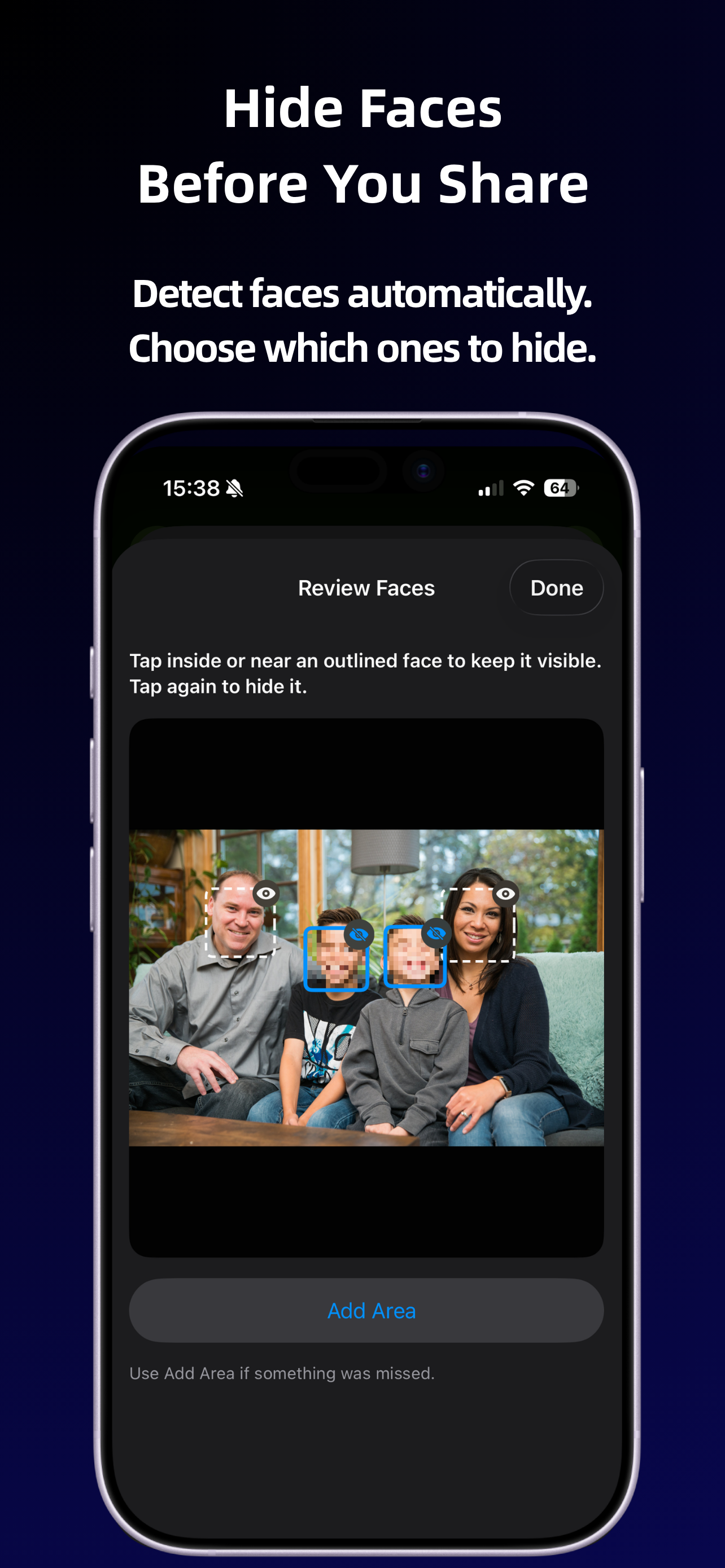
SafeShare can detect faces in photos and let you choose which to obscure. Automatic detection may not find every face.
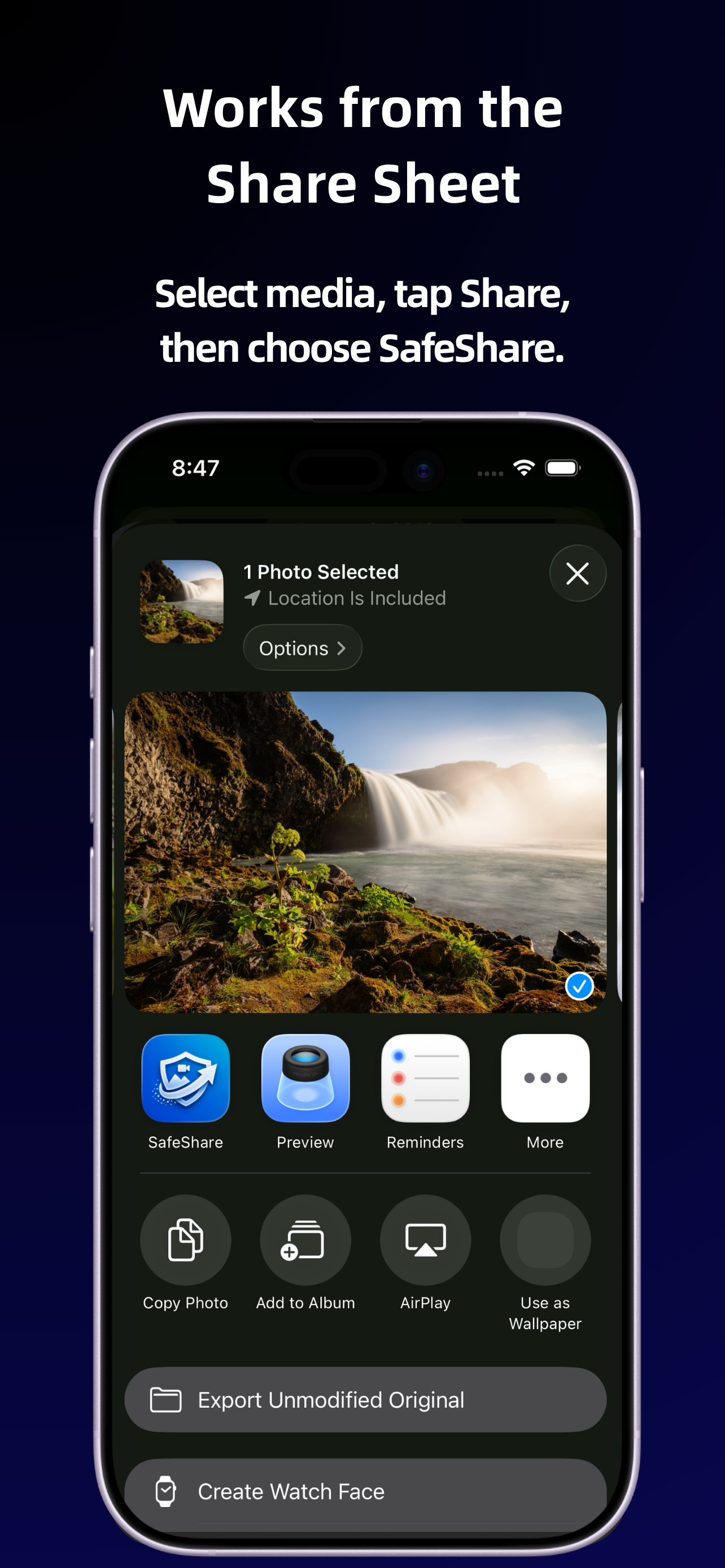
Open SafeShare directly from the iPhone Share Sheet in Photos and other apps that support sharing media.
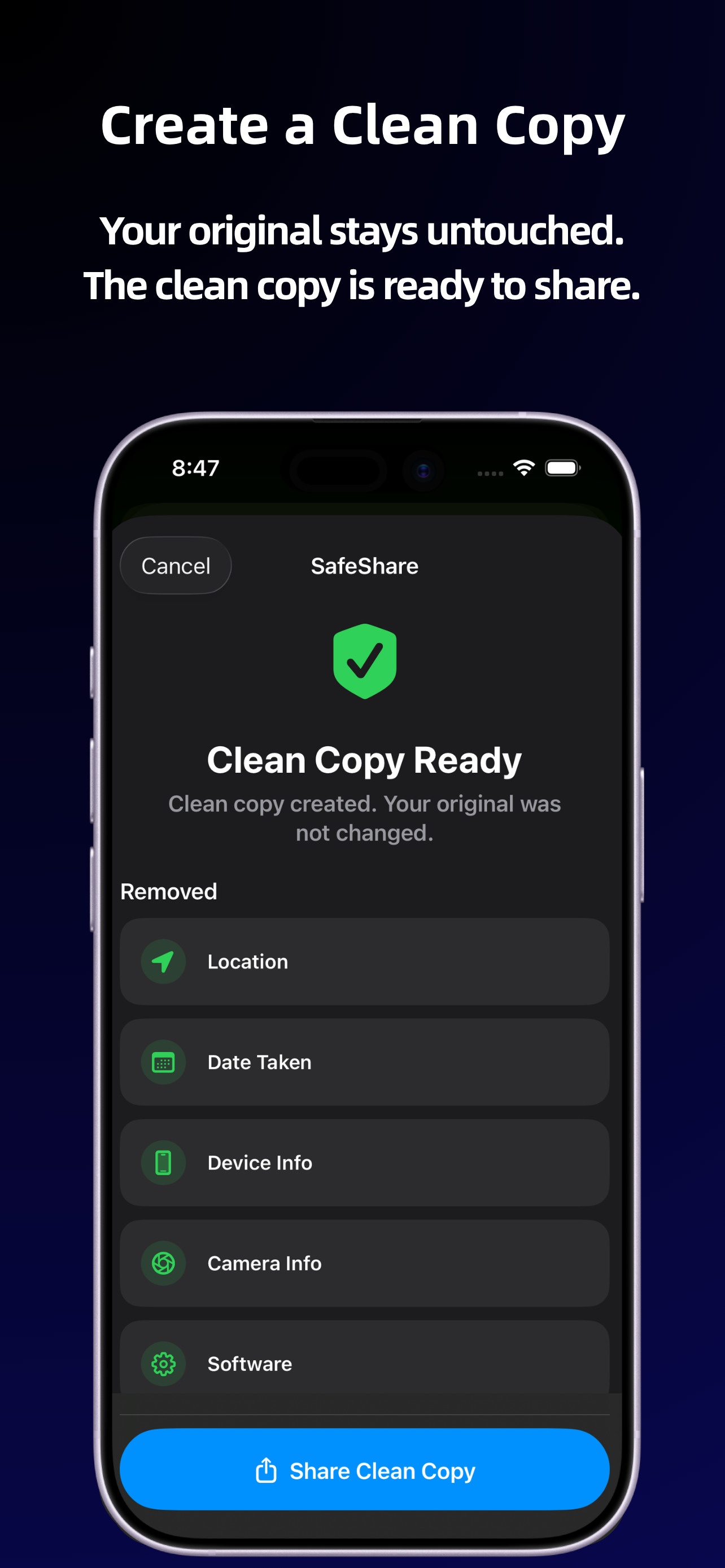
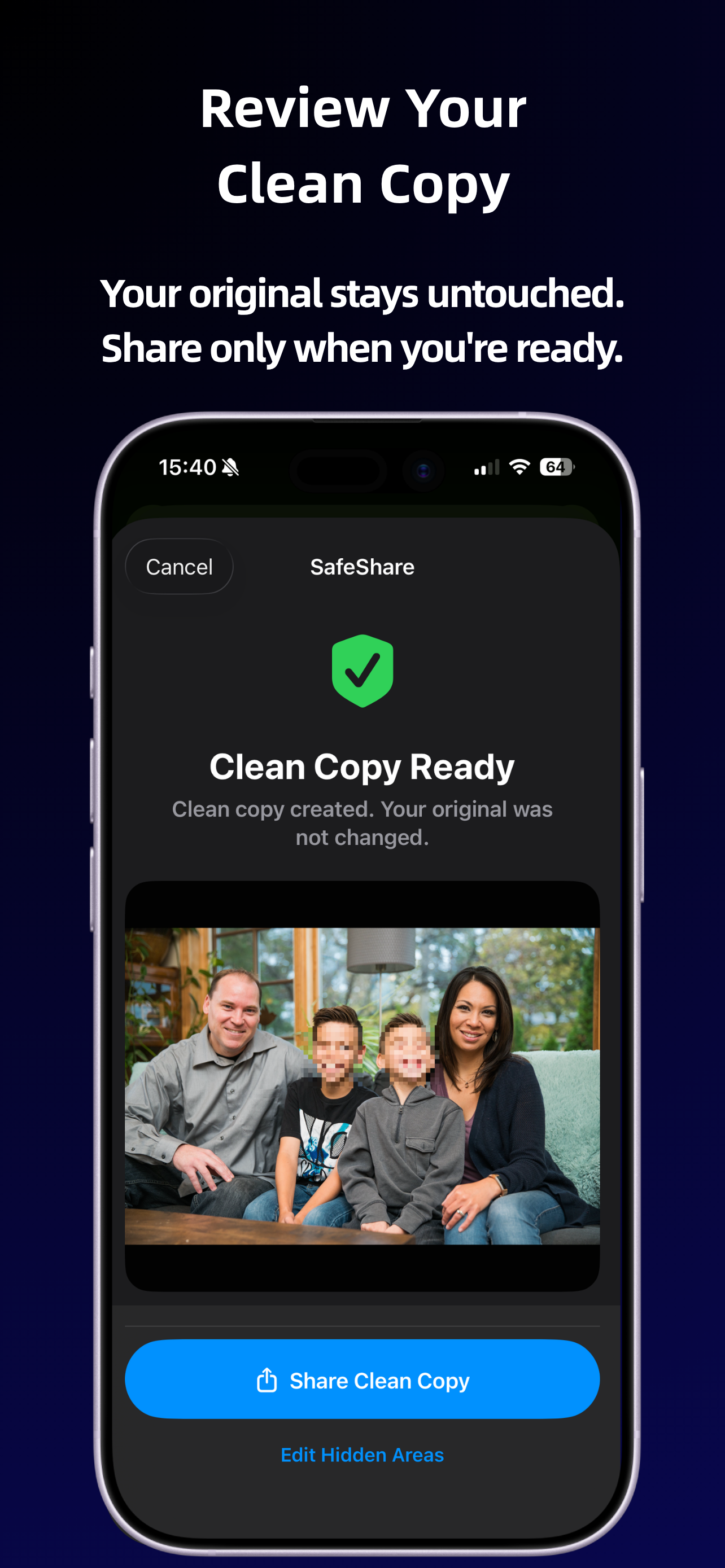
SafeShare creates a clean copy, leaving the original photo or video unchanged.
Choose a specific privacy task for practical guidance and more detail.
Review embedded details and prepare a clean copy to send.
GuidePrepare a copy without embedded coordinates while preserving your original.
GuideUnderstand capture metadata and clean supported details before sharing.
GuideObscure detected faces and review the picture before sending it.
GuideFollow the Share Sheet workflow from selection to onward delivery.
GuideLearn which details may accompany a picture and what cleanup can change.
GuideConsider metadata, faces, visible context and the intended audience.
SafeShare is designed to fit directly into the normal iPhone sharing workflow.
Choose a photo, tap Share and select SafeShare before sending it onward.
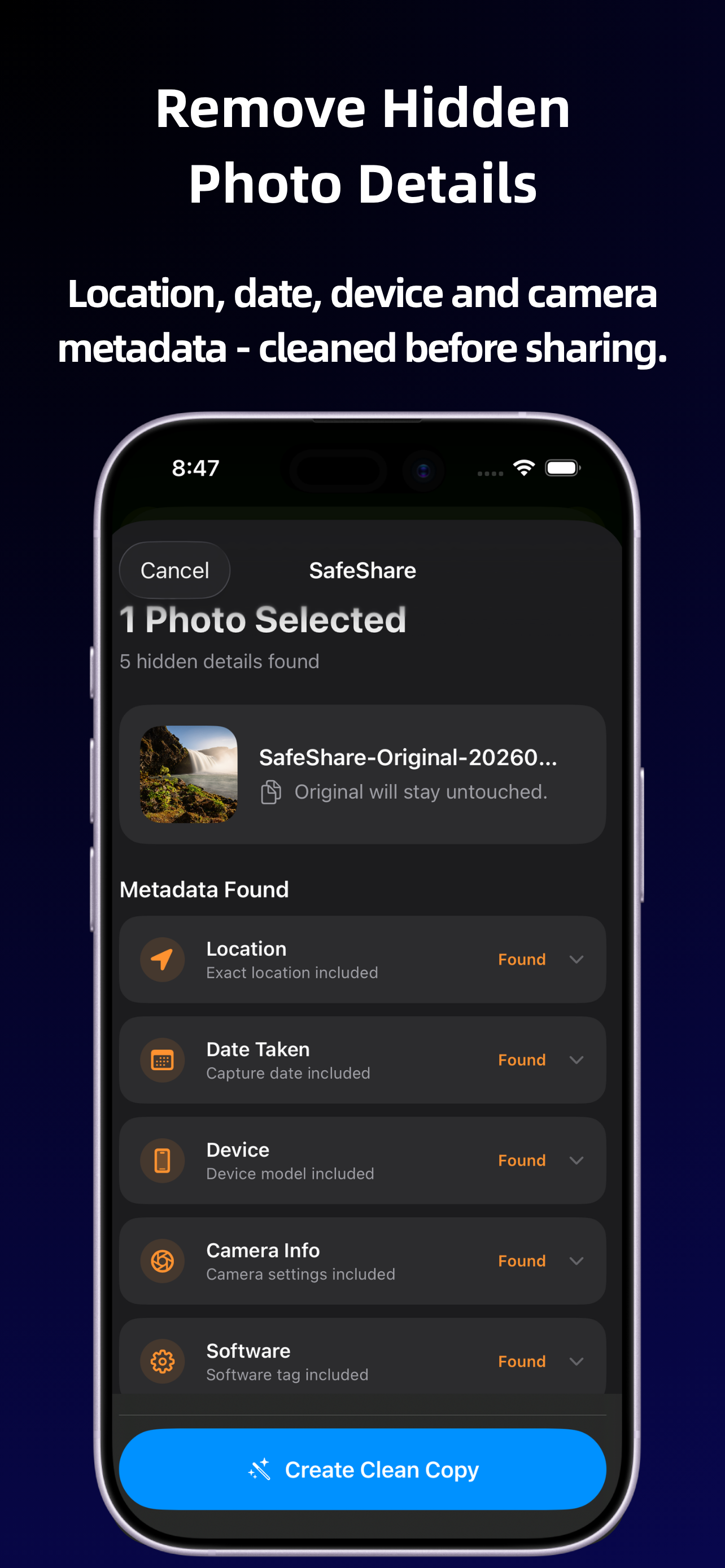
Inspect the detected location, date, device and camera details. The fields present depend on the selected file.
Choose which detected faces to hide. Use Add Area if something was missed, and review coverage before sharing; automatic detection may not find every face.
Remove supported metadata and create a new copy. The result lists removed categories and confirms that your original was not changed.
Check the final picture, then use Share Clean Copy when you’re ready. You can return to Edit Hidden Areas if the visible result needs another review.
Privacy by design
SafeShare processes supported photos and videos on your device. Your media is not uploaded to a SafeShare server, and the app does not require an account.
SafeShare is free to use and does not require a subscription.
Read the SafeShare Privacy PolicySelect the photo, open the iOS Share Sheet and choose SafeShare. SafeShare shows the metadata it finds and creates a new copy with that metadata removed.
Yes. SafeShare can remove embedded location metadata when creating a clean copy.
SafeShare removes supported metadata including location, date, device, camera and software information before creating the clean copy.
Yes. SafeShare can automatically detect and blur faces in photos before you share the cleaned copy.
No. SafeShare creates a new cleaned copy and leaves the original media unchanged.
No. Processing happens on the device and SafeShare does not upload your media to a SafeShare server.
Yes. SafeShare is free to download and use.
Remove hidden metadata and blur faces from your iPhone before sending photos to other people or posting them online.