
Remove backgrounds automatically
Choose a photo and create a clean subject cutout in seconds.
Remove the original background automatically and finish the image without needing a complicated desktop photo editor.
Choose a photo and create a clean subject cutout in seconds.
Manually erase or restore parts of the cutout with precise controls and a magnifier when the automatic result needs help.
Keep the background transparent and export your finished cutout as a high-quality PNG when transparency is needed.
Use white or solid colors, gradients, transparency, or another photo as your new background.
Position the extracted subject where you want it and adjust its size and rotation to create the final composition.
Add text with customizable fonts, styles, colors and text backgrounds without switching to another editor.
Practical guides for removing a background, refining the cutout and choosing how to finish your image.
Choose a photo, review the automatic cutout and finish the edges.
Keep the cutout transparent for slides, layouts and other images.
Replace the original setting with white and check the subject outline.
Place the cutout on a solid color, gradient or your own photo.
Use erase, restore and the magnifier where the cutout needs correction.
Arrange your subject and add a short message in the same editor.
See how photo processing, exports and Apple services are handled.
Start with a photo, remove its background automatically and refine only the areas that need extra attention.
Steps 1–2 · Choose your photo and remove the background
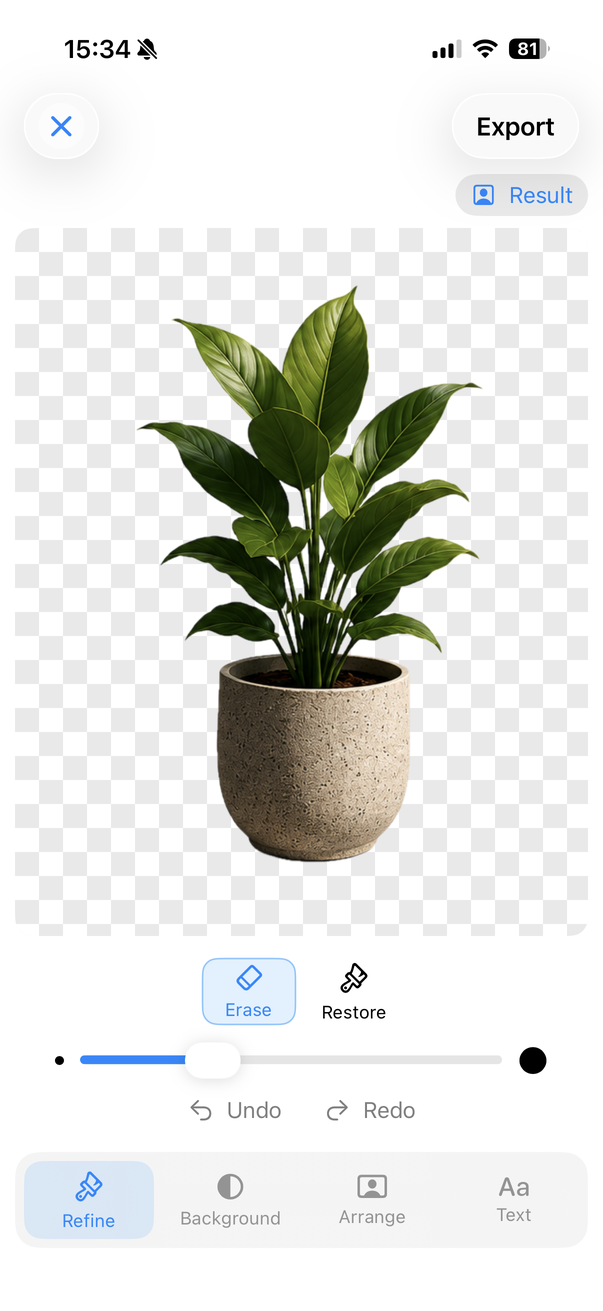
Start with the photo you want to edit, then let Remove BG create the initial subject cutout automatically. The checkerboard in the result shows the transparent area around the subject.
Keep transparency and export the finished cutout as a PNG when you need a reusable image. This screenshot shows the editor, before export.
Make a transparent PNG on iPhone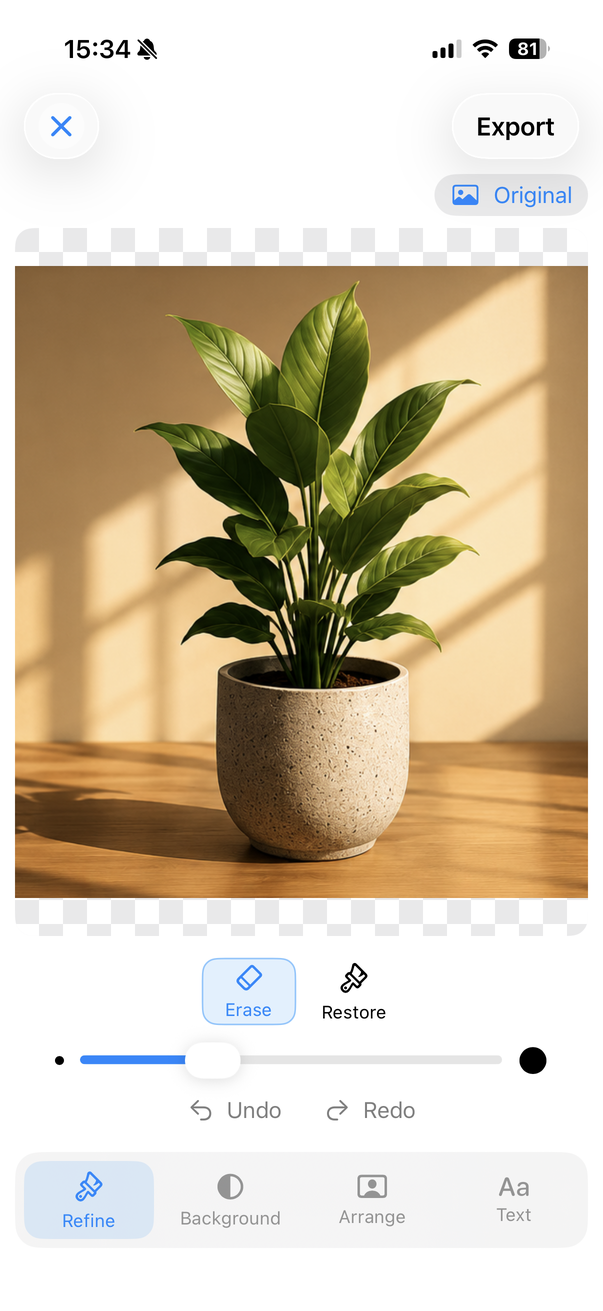
Step 3 · Refine the result
Use erase and restore controls when hair, edges or small details need manual adjustment. The magnifier helps you see the boundary while you work.
Here, the magnifier is positioned over a plant leaf: a real example of checking a small edge before finishing the cutout.
Learn how to refine difficult edges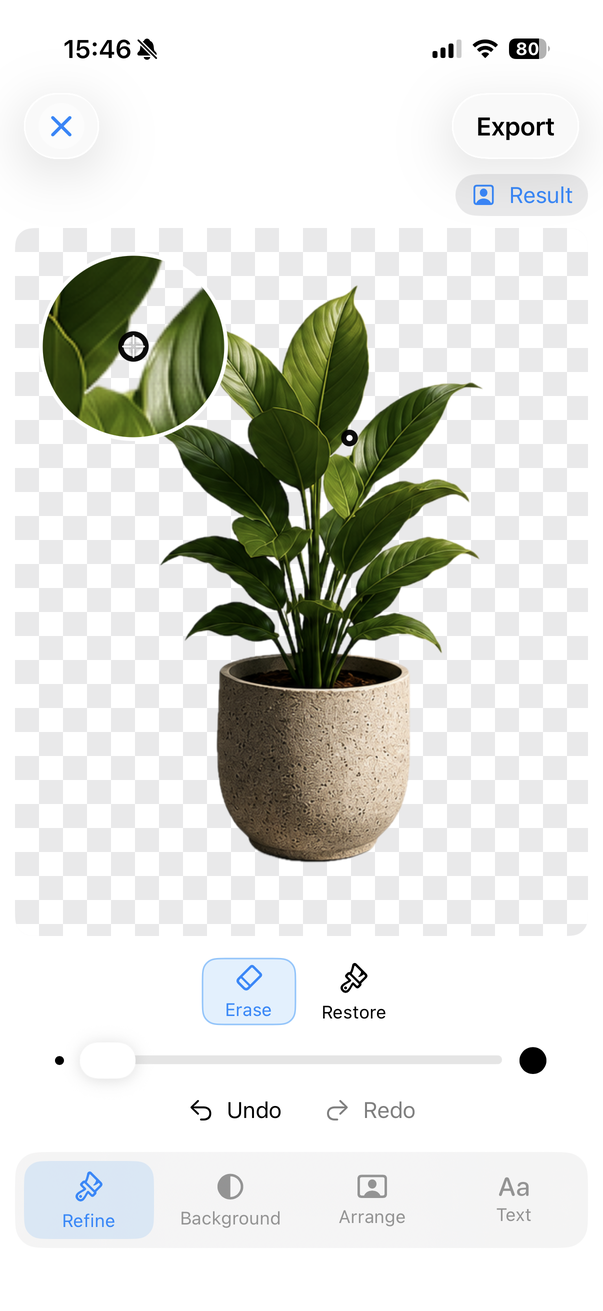
Choose a new background
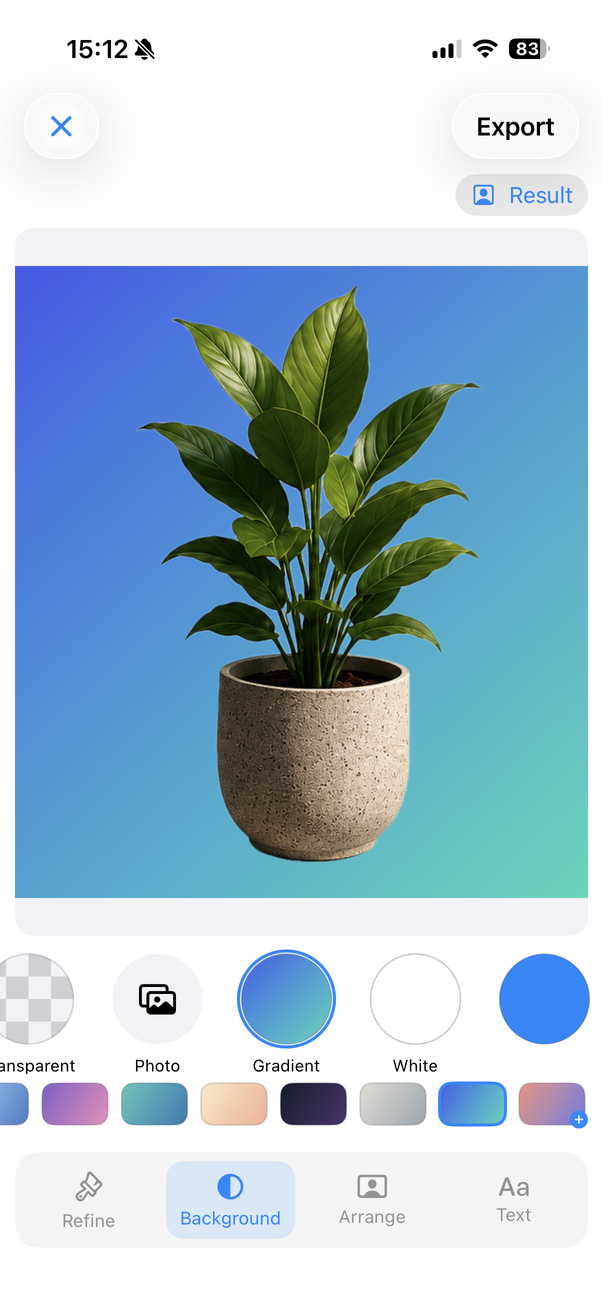
Keep transparency or use a white background, color, gradient or another photo. This editor view shows a blue-green gradient applied to the cutout.
The background picker also shows Photo and White choices. Review the cutout against your chosen background, then export the finished image.
Private by design
Background removal and photo editing happen directly on your device. Remove BG does not require an account and does not use third-party tracking or advertising SDKs.
No tracking. No ads. Your photos do not need to be uploaded to a Remove BG server to remove their background.
Read the Remove BG Privacy PolicySimple pricing
Remove BG includes 3 free exports. If you want unlimited use, Lifetime Unlock is available as a single one-time purchase. There is no subscription.
Open the photo in Remove BG and let the app automatically separate the subject from the background. You can then refine the cutout manually before exporting it.
Yes. After removing the background, keep it transparent and export the finished image as a PNG.
Yes. You can replace the original background with white, another solid color, a gradient or your own photo.
Yes. Remove BG includes erase and restore controls with a magnifier so you can refine difficult edges and small details.
Yes. You can add and customize text directly in the editor before exporting the finished image.
Photo processing happens on your device. The app does not require your photos to be uploaded to a Remove BG server for background removal.
No. The app includes 3 free exports and offers unlimited use through an optional one-time Lifetime Unlock.
Create clean cutouts, transparent PNGs and finished images directly from your iPhone.